Inside DeployForge: Building a Self-Hosted Deployment Control Plane
A practical look at how DeployForge orchestrates GitHub-driven deployments, isolated Docker releases, TLS, monitoring, and rollback across operator-owned VPS infrastructure.
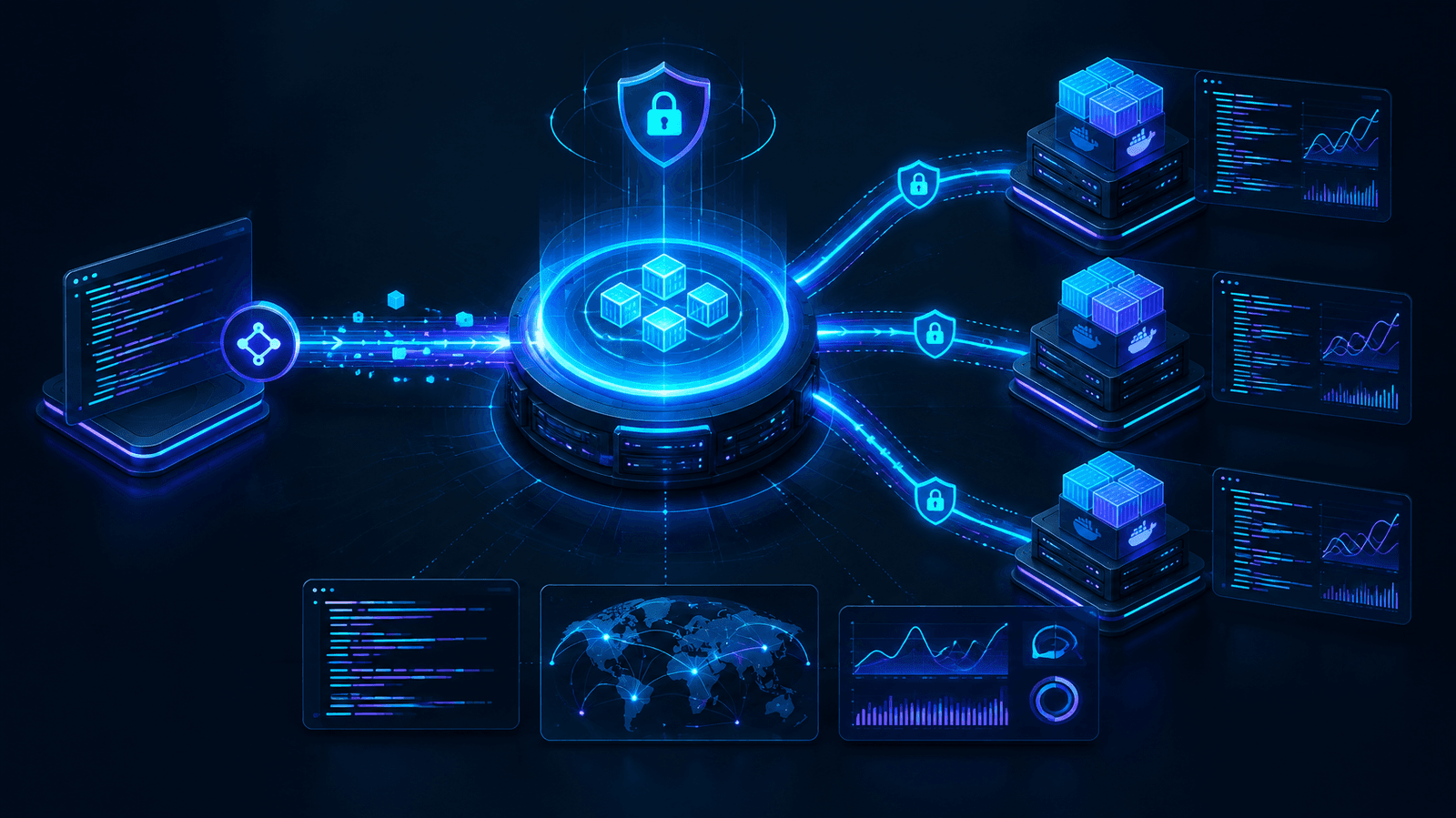
Deploying an application to a virtual private server often starts with a few shell commands. As the number of applications, domains, environments, and team members grows, that simple workflow turns into an operational system: source code must be fetched safely, builds need to be repeatable, secrets must remain protected, candidate releases must be validated, and production traffic must not move until the new release is healthy.
I started building DeployForge to bring those responsibilities into one self-hosted control plane while keeping applications and infrastructure on operator-owned VPS nodes. The goal is not to hide infrastructure. It is to make the deployment path observable, repeatable, and easier to operate without installing a proprietary agent on every target server.
A control plane for infrastructure you own
DeployForge separates the system into two trust zones. The control plane provides the dashboard, API, job worker, persistent state, queues, routing entry point, and real-time coordination. Target VPS nodes form the data plane, where application builds and runtimes actually execute.
The control plane combines a Next.js dashboard with a Fastify REST and WebSocket API. PostgreSQL stores durable platform state such as users, projects, deployments, releases, audit records, and encrypted configuration. Redis supports queues, distributed locks, sessions, caches, and event coordination, while BullMQ workers handle deployments and other long-running infrastructure operations away from the request lifecycle.
Target servers are reached through SSH and SFTP. DeployForge can inspect and prepare a host, build containers, create isolated networks, validate a release, configure ingress, collect metrics, and run controlled lifecycle operations. The target needs SSH and the required runtime tooling, but it does not need a dedicated DeployForge daemon.
A deployment flow designed around validation
The deployment engine treats a release as a candidate before it becomes production traffic. A typical workflow follows these stages:
- Connect a GitHub repository or provide an application archive.
- Assign the project and deployment to an authorized target VPS.
- Validate access, configuration, resource policy, and supported Compose behavior.
- Detect the framework, package manager, build command, start command, and application port.
- Build an immutable candidate release on the target server.
- Start the candidate on a private validation network and run health checks.
- Persist the release metadata and switch the ingress route only after validation succeeds.
- Keep the previous release available for a controlled rollback.
This separation matters because a successful image build does not prove that an application can serve traffic. Runtime startup, health checks, routing, and dependency readiness are separate evidence. Failures before the route switch leave the active release unchanged; routing-stage failures enter the deployment recovery path.
Routing, domains, and TLS
DeployForge manages application ingress on target VPS nodes, supports custom domains and subdomains, verifies DNS before routing changes, and coordinates certificate issuance and validation. Candidate validation remains isolated from public traffic, so a release does not become visible simply because its container started.
Domain automation is useful only when it respects the host that already owns ports 80 and 443. For that reason, routing and TLS are treated as infrastructure state rather than a decorative final step. The platform records domain relationships, verifies preconditions, and validates the route before considering the deployment complete.
Real-time operations without losing durable history
Deployments are asynchronous, but operators still need immediate feedback. WebSocket connections stream logs, deployment status, notifications, and authenticated terminal traffic to the dashboard. The monitoring surface can expose current VPS health, CPU, memory, disk and swap information, resource history, and environment scans.
At the same time, PostgreSQL remains the source of truth for durable platform state and release history. Redis is operational coordination state, not the only copy of important data. This distinction makes it possible to provide real-time interaction without treating an ephemeral queue or cache as the permanent deployment record.
Security as an architectural constraint
A deployment control plane holds privileged access, so security cannot be added at the end. DeployForge uses encrypted infrastructure credentials, scoped authorization, signed GitHub webhooks, replay protection, CSRF defenses, hardened container policies, normalized remote paths, and audit records around sensitive operations.
Project, VPS, terminal, file-manager, deployment, domain, and administrator actions are checked against their authorization boundaries. Sensitive environment values are encrypted at rest and redacted from user-facing logs. Docker Compose input is policy-constrained so a convenient deployment feature does not quietly become unrestricted host access.
The technology behind DeployForge
- Web: Next.js and React for the public and authenticated dashboard surfaces.
- API: Fastify for HTTP and WebSocket endpoints, validation, authorization, and orchestration.
- Jobs: BullMQ and Redis for serialized deployment work, locks, and real-time coordination.
- Data: PostgreSQL with Prisma for durable relational state and release history.
- Remote operations: SSH and SFTP for agentless target-server access.
- Runtime: Docker and policy-constrained Compose workflows for application releases.
- Ingress: Managed routing with domain and TLS verification.
What building DeployForge has reinforced
The central lesson is that deployment is not one command. It is a chain of evidence: source acquisition, policy checks, build output, candidate startup, health validation, routing, monitoring, and recovery. A reliable control plane needs to preserve the boundary between each stage and report exactly which stage succeeded or failed.
DeployForge is still an operator-managed, self-hosted system. Persistent Docker volumes are not offsite backups, database migrations are not automatically reversed by an application rollback, and target-host access still depends on correct SSH credentials and host configuration. Making those boundaries explicit is part of the product rather than a limitation to hide.
From repository event to repeatable release
A useful deployment platform begins before the build command runs. Repository integration has to identify the exact commit, preserve the requested branch or tag, and associate the event with the correct project and environment. DeployForge can use GitHub-driven workflows to turn source events into queued deployment work, while still allowing operators to inspect what will run and where it will run. That traceability reduces the gap between a commit visible in source control and the release eventually serving production traffic.
Isolation for multiple applications and teams
A single VPS may host several unrelated applications. DeployForge therefore treats isolation as a deployment concern: containers, networks, names, routes, and persistent resources must be scoped so that one application cannot accidentally collide with another. Resource visibility also matters. Operators need enough CPU, memory, disk, swap, and runtime information to decide whether a host can safely accept another workload before starting a costly build.
Authorization follows the same principle. Access to a dashboard does not automatically grant access to every server, secret, terminal, project, or deployment action. Project membership and administrative roles are checked at the boundaries where privileged work occurs. This is especially important for terminal and file-management features because convenience must not bypass the permissions applied to ordinary deployment operations.
Failure handling and rollback semantics
Rollback is most dependable when releases are immutable and routing is separate from building. If a newly started candidate fails its health check, DeployForge can stop that candidate without disturbing the active route. If a problem appears after promotion, the previous known release can be selected and traffic can be redirected through a controlled recovery operation. The objective is not to pretend failures disappear; it is to limit their blast radius and preserve enough history to understand them.
Application rollback and data rollback are deliberately different concerns. Switching traffic to an earlier container does not reverse a database migration, restore an offsite backup, or repair an incompatible external dependency. Operators still need migration strategies, backup policies, and recovery testing that match each application. A control plane should make these boundaries clear so a green rollback status is not mistaken for complete disaster recovery.
Observability that answers operational questions
Logs become valuable when they preserve context: which deployment produced them, which host executed the work, which release was active, and which stage failed. DeployForge streams progress for immediate feedback while retaining durable release and audit information for later investigation. This helps distinguish a source checkout failure from a build failure, an unhealthy runtime, a DNS issue, or an ingress problem.
Who DeployForge is for
DeployForge is designed for developers and small teams that want a Heroku-like operational workflow while retaining ownership of their servers and deployment data. It is particularly relevant when several projects share VPS infrastructure, when GitHub events should trigger repeatable releases, or when a team needs a central view of domains, certificates, logs, host health, and release history.
It is not intended to remove the need for infrastructure knowledge. SSH access, DNS records, firewall policy, backups, capacity planning, and secure host maintenance still matter. The product aims to gather those responsibilities into a clearer workflow, automate repeatable steps, and expose evidence for the decisions that remain with the operator.
Where the project is heading
Building the platform has also reinforced the value of honest status reporting. A queued job is not a running deployment, a completed build is not a healthy service, and an HTTP response is not proof that the intended content reached the user. Keeping those distinctions visible makes automation easier to trust and makes failures faster to diagnose.
You can explore the source and documentation on GitHub.