How the DOM Really Works and Why You Should Care
Learn how the DOM works, how to manipulate it, and why mastering it is essential for creating dynamic, high-performance web applications.
Introduction
When you open a website in your browser, you're not just looking at some lines of HTML and CSS. Behind every modern website lies a powerful system called the Document Object Model — more commonly known as the DOM. The DOM is what connects the structure of your HTML to the scripting power of JavaScript, and ultimately to the screen your users interact with.
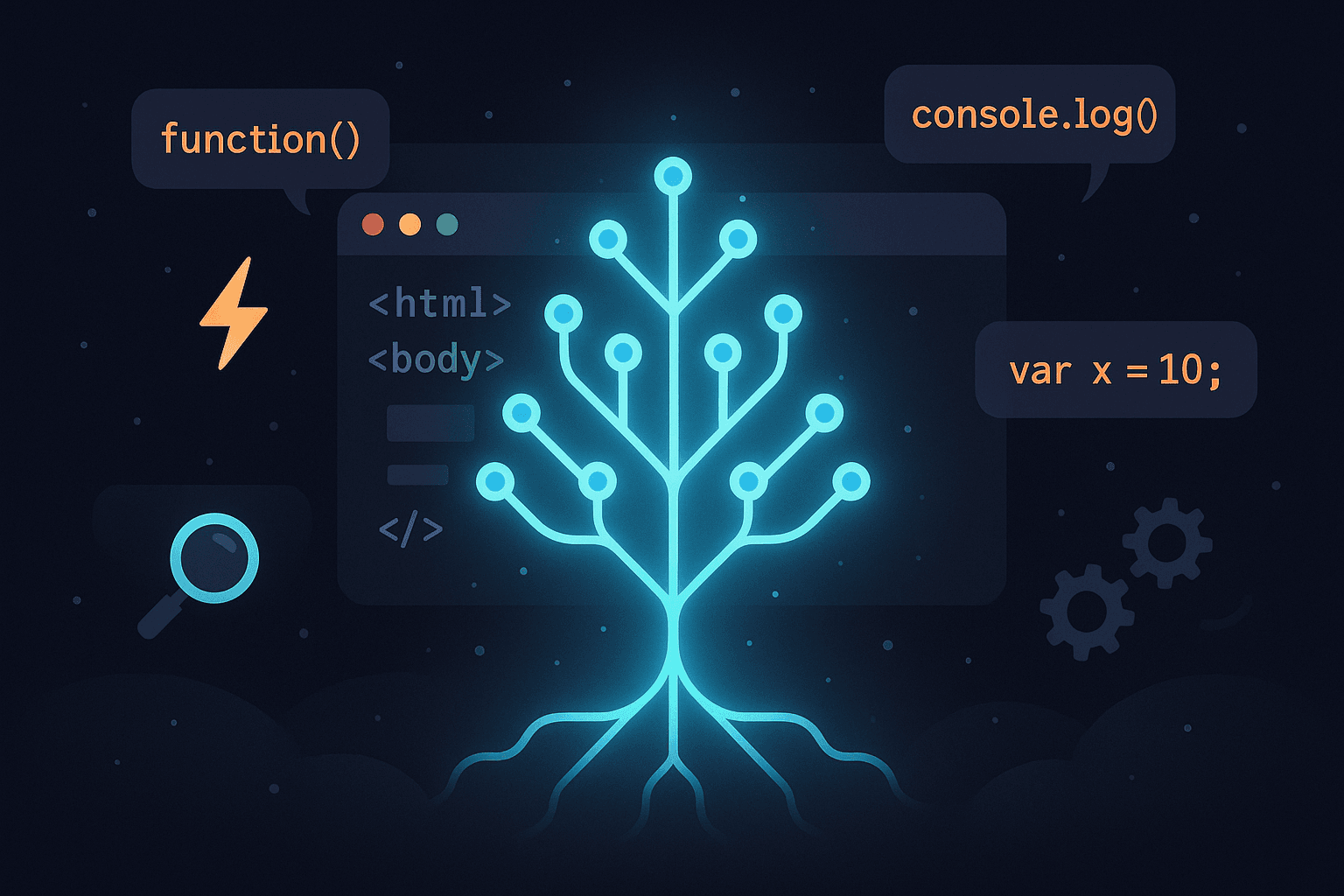
The DOM is essentially a live representation of your page that the browser creates and maintains in memory. It represents the HTML document as a tree of objects — elements, text, and attributes — allowing programs to dynamically access and update content, structure, and even styling. This tree-like structure allows developers to manipulate the web page in real time, responding to user actions and changing content without reloading the page.
For many developers, interacting with the DOM starts and ends with selecting elements and modifying their content or style using JavaScript. But there's much more going on under the hood. Understanding how the DOM is built, how it reacts to changes, and how those changes impact performance can greatly influence how you build your websites. Poor DOM practices can lead to sluggish user interfaces, unnecessary reflows and repaints, or even broken functionality.
In this article, we’re going to break down how the DOM actually works — not just in theory, but in practice. You’ll learn how browsers parse your HTML to build the DOM tree, how that tree is used to render what users see, and how JavaScript lets you interact with and modify that tree in real-time. We'll also look at performance considerations, how events flow through the DOM, and how modern libraries like React introduce the concept of a Virtual DOM to optimize changes more efficiently.
By gaining a deeper understanding of how the DOM operates, you’ll be better equipped to write clean, efficient code that responds quickly and behaves reliably. Whether you're just starting out in web development or looking to strengthen your fundamentals, this knowledge is critical for building high-performance, maintainable applications. So let’s dive in and explore how the DOM really works — and why it matters more than you might think.
What is the DOM?
The Document Object Model, or DOM, is a programming interface for web documents. It represents the structure of a web page as a tree of objects, allowing programming languages like JavaScript to manipulate, modify, and interact with HTML or XML documents dynamically.
Simply put, the DOM is an abstraction of the HTML structure of a webpage. When you open a webpage in a browser, the browser parses the HTML, CSS, and JavaScript files, and constructs an in-memory model of the document — this model is the DOM. The DOM is an application programming interface (API) that provides a structured representation of the document's content, and it allows developers to modify and interact with the webpage dynamically through JavaScript.
The browser essentially turns the HTML document into a DOM tree, where each HTML element, attribute, and piece of text becomes a node in that tree. This hierarchical structure makes it easier for JavaScript to navigate, manipulate, and update specific parts of the web page without needing to reload the entire document.
How the Browser Creates the DOM from HTML
When you load a webpage, the browser starts by downloading the HTML document. It then parses the HTML from top to bottom, turning each element into a node and linking them together to form the DOM tree. This tree structure allows the browser to represent the document's hierarchy — for example, a <div> element may contain several nested <p> elements, and each <p> element can contain text or other elements.
The browser also processes the CSS and JavaScript files alongside the HTML. While the DOM represents the structure and content of the page, the browser uses the CSSOM (CSS Object Model) to represent the styles applied to elements. Together, the DOM and CSSOM create the render tree, which is used by the browser to paint the webpage on the screen.
The Tree Structure: Nodes, Elements, Attributes, and Text
The DOM is organized in a tree-like structure, with the document at the root, and every HTML element becoming a node in that tree. Each node represents a part of the document, such as an element, an attribute, or text. The key components of this tree are:
- Nodes: The basic building blocks of the DOM tree. A node can be an element, an attribute, or text.
- Elements: These are HTML tags such as
<div>,<ul>, or<p>. Each element becomes an element node in the DOM tree. - Attributes: These are properties of HTML elements, such as
class,id, orsrc. Attributes are also represented as nodes and are tied to their respective elements. - Text: Any text inside an element becomes a text node in the DOM. For example, in the HTML
<p>Hello World</p>, "Hello World" is a text node under the<p>element node.
The DOM tree structure allows developers to easily traverse through the document. For example, you can access an element's parent, child, or sibling nodes, or even search for a particular node based on its ID or class. This structure makes DOM manipulation flexible, which is one of the reasons why JavaScript is so powerful for building dynamic web pages.
How the DOM is Built
The process of building the DOM is an intricate and important one that happens every time a webpage is loaded. When you enter a URL in your browser, the browser starts the rendering process by downloading and parsing the HTML document, constructing the DOM tree, and eventually rendering the content on the screen. But what exactly happens during this process, and how do HTML, CSS, and JavaScript work together to build and render the page?
The Rendering Process: From HTML to DOM Tree
The browser begins by parsing the HTML file line-by-line from top to bottom. During this parsing, it creates a tree-like structure known as the DOM tree. This tree represents the document in memory and is used by the browser to render the page. The browser treats the HTML document as a set of instructions on how the page should be constructed and displayed. Each HTML element becomes a node in the DOM, and these nodes are linked together to reflect the hierarchy and structure defined by the HTML tags.
As the browser parses the HTML, it starts building the DOM tree. For example, the <html> element is the root node, and it contains two child nodes: <head> and <body>. These two nodes then contain their respective children, such as <title> within <head> and <div>, <p>, or <h1> within <body>. This process continues recursively until all elements in the HTML file are represented as nodes in the DOM tree.
Parsing HTML and Constructing Nodes
As the browser parses the HTML document, it converts each element into a corresponding node. These nodes represent the elements, attributes, and text content of the page. Every element in the HTML becomes an element node in the DOM tree. Attributes of these elements, such as class, id, or src, are represented as attribute nodes, while the text inside the elements becomes text nodes.
For example, consider the following HTML snippet:
<div id="container">
    <p>Welcome to the website!</p>
  </div>
The browser parses this HTML and creates the following nodes:
- Element Node: The
<div>tag is represented as an element node with a child<p>element node. - Text Node: The text "Welcome to the website!" inside the
<p>element becomes a text node. - Attribute Node: The
id="container"attribute of the<div>element becomes an attribute node.
This transformation of HTML into DOM nodes allows the browser to understand the content and structure of the page in a format that is accessible and manipulable by JavaScript.
How JavaScript and CSS Interact During Parsing
As the browser parses the HTML document to construct the DOM, it also processes the CSS (if any) to determine how the elements should be styled. The browser constructs a CSSOM (CSS Object Model), which is a representation of the styles applied to the elements. The CSSOM works hand-in-hand with the DOM to form the render tree, which is ultimately used to paint the webpage on the screen.
During this phase, JavaScript is also involved in modifying the DOM. If there are inline <script> tags in the HTML, the browser executes the JavaScript as it encounters it during the parsing process. This can modify the DOM dynamically by adding, removing, or changing nodes in real-time.
However, JavaScript execution can block rendering if not handled properly. For instance, if a script modifies the DOM, the browser must re-parse and re-render portions of the page. To avoid performance issues, modern browsers often defer or asynchronously load JavaScript files, especially those that aren’t critical for the initial rendering of the page.
In summary, the DOM is built through a complex and coordinated process where the browser parses HTML to construct a tree-like structure. Along the way, it integrates CSS styles and processes JavaScript to dynamically update the page. Understanding this process allows developers to better optimize their code for faster rendering and improved user experiences.
How the DOM is Built
The process of building the DOM is an intricate and important one that happens every time a webpage is loaded. When you enter a URL in your browser, the browser starts the rendering process by downloading and parsing the HTML document, constructing the DOM tree, and eventually rendering the content on the screen. But what exactly happens during this process, and how do HTML, CSS, and JavaScript work together to build and render the page?
The Rendering Process: From HTML to DOM Tree
The browser begins by parsing the HTML file line-by-line from top to bottom. During this parsing, it creates a tree-like structure known as the DOM tree. This tree represents the document in memory and is used by the browser to render the page. The browser treats the HTML document as a set of instructions on how the page should be constructed and displayed. Each HTML element becomes a node in the DOM, and these nodes are linked together to reflect the hierarchy and structure defined by the HTML tags.
As the browser parses the HTML, it starts building the DOM tree. For example, the <html> element is the root node, and it contains two child nodes: <head> and <body>. These two nodes then contain their respective children, such as <title> within <head> and <div>, <p>, or <h1> within <body>. This process continues recursively until all elements in the HTML file are represented as nodes in the DOM tree.
Parsing HTML and Constructing Nodes
As the browser parses the HTML document, it converts each element into a corresponding node. These nodes represent the elements, attributes, and text content of the page. Every element in the HTML becomes an element node in the DOM tree. Attributes of these elements, such as class, id, or src, are represented as attribute nodes, while the text inside the elements becomes text nodes.
For example, consider the following HTML snippet:
<div id="container">
    <p>Welcome to the website!</p>
  </div>
The browser parses this HTML and creates the following nodes:
- Element Node: The
<div>tag is represented as an element node with a child<p>element node. - Text Node: The text "Welcome to the website!" inside the
<p>element becomes a text node. - Attribute Node: The
id="container"attribute of the<div>element becomes an attribute node.
This transformation of HTML into DOM nodes allows the browser to understand the content and structure of the page in a format that is accessible and manipulable by JavaScript.
How JavaScript and CSS Interact During Parsing
As the browser parses the HTML document to construct the DOM, it also processes the CSS (if any) to determine how the elements should be styled. The browser constructs a CSSOM (CSS Object Model), which is a representation of the styles applied to the elements. The CSSOM works hand-in-hand with the DOM to form the render tree, which is ultimately used to paint the webpage on the screen.
During this phase, JavaScript is also involved in modifying the DOM. If there are inline <script> tags in the HTML, the browser executes the JavaScript as it encounters it during the parsing process. This can modify the DOM dynamically by adding, removing, or changing nodes in real-time.
However, JavaScript execution can block rendering if not handled properly. For instance, if a script modifies the DOM, the browser must re-parse and re-render portions of the page. To avoid performance issues, modern browsers often defer or asynchronously load JavaScript files, especially those that aren’t critical for the initial rendering of the page.
In summary, the DOM is built through a complex and coordinated process where the browser parses HTML to construct a tree-like structure. Along the way, it integrates CSS styles and processes JavaScript to dynamically update the page. Understanding this process allows developers to better optimize their code for faster rendering and improved user experiences.
How the DOM is Manipulated
Once the DOM is built, developers can interact with it to make a web page dynamic. This is where JavaScript comes in. Through the DOM, JavaScript provides the power to access, modify, add, or remove elements, styles, and attributes on the page. This manipulation allows for interactive and dynamic user experiences, where content can be updated without the need for page reloads. Let’s explore the key ways JavaScript can manipulate the DOM.
Accessing DOM Elements Using JavaScript
The first step in manipulating the DOM is accessing the elements you want to work with. JavaScript provides several methods to do this, allowing you to select one or more elements based on criteria like IDs, classes, tag names, or CSS selectors. The most common methods include:
- getElementById: This method selects an element by its unique ID. It returns a reference to the element, or
nullif no element with the specified ID exists.
const element = document.getElementById('myElement');getElementById because you can select elements based on classes, attributes, and other criteria.const element = document.querySelector('.myClass');querySelector but returns a NodeList of all elements matching the selector.const elements = document.querySelectorAll('div.myClass');HTMLCollection of matching elements.const elements = document.getElementsByClassName('myClass');<div> or <p>) and returns a live HTMLCollection of those elements.const elements = document.getElementsByTagName('div');These methods are essential for locating the elements you want to manipulate within the DOM. Once you have a reference to the element(s), you can change their content, attributes, or even style.
Creating, Updating, and Removing Elements
One of the most powerful features of the DOM is the ability to create, update, and remove elements dynamically. JavaScript allows you to modify the structure of the page by adding new elements, changing existing ones, or removing elements altogether. Here are some of the most common methods used for these operations:
- createElement: This method creates a new HTML element of the specified type (such as a
<div>or<p>element), but it doesn’t add it to the page until you append it.
const newDiv = document.createElement('div');createElement.document.body.appendChild(newDiv);document.body.removeChild(newDiv);document.getElementById('myElement').innerHTML = 'New content';id, class, src, or any other attribute.document.getElementById('myElement').setAttribute('class', 'newClass');document.getElementById('myElement').classList.add('newClass');DOM Events and Listeners
Another key aspect of manipulating the DOM is working with events. Events are actions that occur on the page, such as a user clicking a button, hovering over an element, or submitting a form. JavaScript allows you to listen for these events and execute specific actions when they occur. This is done by attaching event listeners to DOM elements.
The addEventListener method is the primary way to listen for events in JavaScript. You can attach event listeners to DOM elements to execute a function when a specific event (like a click or key press) occurs.
  document.getElementById('myButton').addEventListener('click', function() {
    alert('Button clicked!');
  });
In the example above, an event listener is attached to the button with the ID myButton. When the user clicks the button, the function will be executed, showing an alert.
Event Bubbling and Capturing
DOM events follow a process called event propagation, which consists of two phases: bubbling and capturing.
- Event Bubbling: In this phase, the event starts at the target element and bubbles up to the root of the DOM tree. For example, if you click on a button inside a
<div>, the click event will first trigger on the button, then on its parent<div>, and so on until it reaches the<body>or<html>element. - Event Capturing: The capturing phase works in the opposite direction. The event starts at the root of the DOM tree and propagates down to the target element. You can specify whether to use capturing or bubbling when attaching event listeners by passing a third argument to
addEventListener.
Understanding event propagation is important because it allows you to manage event listeners more effectively, especially when dealing with nested elements. For instance, you can stop event propagation using event.stopPropagation() if you only want an event to trigger on a specific element and not propagate further up or down the DOM tree.
The Virtual DOM vs Real DOM
When developing dynamic web applications, especially with modern JavaScript libraries and frameworks like React and Vue, you’ll often hear about the Virtual DOM and the Real DOM. Both serve as ways to represent and manipulate the structure of a web page, but they operate very differently, each with its advantages and limitations. Understanding the differences between them is crucial for optimizing the performance of your web applications.
Real DOM Limitations
The Real DOM is the traditional method of updating the web page’s structure. It is a direct representation of the HTML document as a tree of objects in memory. While it works well for many simple web pages, it comes with several limitations that can affect the performance of modern, dynamic web applications.
- Reflows and Repaints: The Real DOM suffers from a significant performance drawback when changes are made to the document. For example, if you update an element’s style or modify its content, the browser must recalculate the layout of the page (reflow) and then redraw the updated portion of the page (repaint). This process can be expensive in terms of processing power, especially if many elements are being updated or if changes occur frequently.
- Performance Bottlenecks: When there are frequent updates to the DOM, the browser has to continuously re-render the affected portions of the page, which can lead to sluggish performance. This is particularly problematic in complex applications with many interactive elements that need constant updates.
- Slower UI Updates: As the number of DOM manipulations increases, the time taken to perform each reflow and repaint grows, leading to noticeable lag and delays in the user interface (UI). This can lead to poor user experiences, especially in performance-critical applications such as games, data dashboards, or real-time apps.
In summary, the Real DOM's main limitation lies in its inefficient update process. It directly manipulates the DOM tree, resulting in reflows and repaints that can cause performance issues in dynamic web applications.
Introduction to the Virtual DOM (Used by React, Vue)
The Virtual DOM is a concept introduced by libraries like React and Vue to overcome the performance limitations of the Real DOM. It is an in-memory representation of the Real DOM, created as a lightweight copy of the actual DOM. The Virtual DOM is not directly linked to the user interface; instead, it serves as an intermediary between the actual DOM and the application's state.
In the Virtual DOM, whenever a change is made to the application’s state, instead of immediately modifying the Real DOM, the change is first applied to the Virtual DOM. This allows the library to quickly calculate the minimal number of updates that need to be made to the Real DOM, avoiding unnecessary reflows and repaints.
The Virtual DOM enables the system to be more efficient by reducing the number of direct interactions with the Real DOM. When changes occur, the Virtual DOM is updated first. Then, a "diffing" algorithm compares the previous and current Virtual DOMs to determine the exact changes required. Only those specific changes are then applied to the Real DOM, resulting in fewer and more efficient updates.
How the Virtual DOM Improves Performance
The Virtual DOM improves performance in several key ways:
- Efficient Reconciliation: When state changes occur, the Virtual DOM calculates the difference between the old and new Virtual DOM. This process is called reconciliation. By doing this in memory (without directly affecting the Real DOM), it can efficiently determine what needs to change and apply only the necessary updates, rather than re-rendering the entire DOM.
- Minimized Reflows and Repaints: With the Virtual DOM, updates to the Real DOM are batched and executed in a more optimized way. Instead of triggering multiple reflows and repaints, the necessary updates are done in a single batch, greatly reducing the number of times the browser needs to re-render the page.
- Faster UI Updates: Since the Virtual DOM operates in memory, updates happen more quickly than when directly manipulating the Real DOM. The changes are first made to the Virtual DOM, which is much faster to update. Once the necessary changes are identified, they are efficiently pushed to the Real DOM, resulting in smoother and faster UI updates.
- Optimized DOM Manipulation: The Virtual DOM uses efficient algorithms, such as diffing and reconciliation, to determine the minimal number of changes required to update the Real DOM. This prevents unnecessary manipulations and ensures that the application performs optimally, even with frequent updates.
In essence, the Virtual DOM decouples the process of state changes and rendering. By handling the updates in memory and applying only the essential changes to the Real DOM, it reduces the performance bottlenecks associated with direct DOM manipulation.
Summary: Real DOM vs Virtual DOM
In conclusion, while the Real DOM directly manipulates the browser's DOM tree, it can lead to performance issues due to its need for reflows and repaints. On the other hand, the Virtual DOM provides a more efficient approach by keeping a virtual copy of the DOM in memory and only applying necessary changes to the Real DOM. This process improves performance, particularly in dynamic and interactive web applications, making it an essential concept in modern JavaScript frameworks like React and Vue.
Common DOM Performance Pitfalls
As developers work with the DOM, it’s important to understand the common performance pitfalls that can slow down web applications. Frequent and inefficient DOM manipulation can lead to noticeable performance issues, especially in complex, dynamic applications. In this section, we will explore the most common DOM performance pitfalls, including excessive DOM manipulation and layout thrashing, and discuss best practices for optimizing DOM interactions.
Excessive DOM Manipulation
One of the most common performance pitfalls is excessive DOM manipulation. This happens when developers frequently modify the DOM in ways that result in repeated rendering or recalculating layouts. For example, adding or removing elements from the DOM one at a time can trigger multiple reflows and repaints, which can severely degrade performance.
Each time an element is added, removed, or modified, the browser has to update the DOM, which can trigger a reflow (recalculating the layout) and a repaint (re-drawing the page). When these operations happen repeatedly, the browser can become overwhelmed with tasks, causing slow rendering and a poor user experience.
To minimize the impact of excessive DOM manipulation, it's important to:
- Batch DOM updates: Instead of making multiple individual DOM updates, group changes together and apply them all at once. This reduces the number of reflows and repaints that the browser needs to process.
- Use document fragments: If you need to add many elements to the DOM, consider creating them in a
document fragmentfirst. A document fragment is a lightweight container that doesn't trigger reflows and repaints when it is modified. Once all elements are added to the fragment, append the fragment to the DOM in a single operation.
Layout Thrashing and Reflows
Layout thrashing occurs when JavaScript reads and writes to the DOM in a way that forces the browser to recalculate the layout multiple times. For example, you might read a value from the DOM (e.g., getting the element’s height) and then immediately modify the DOM (e.g., changing the element’s style). This pattern causes the browser to reflow the page, then immediately reflow it again when the changes are applied. This results in wasted processing time, as the browser has to recalculate the layout multiple times in quick succession.
Reflows are expensive because the browser needs to compute the entire layout of the page again, which can be especially costly when dealing with complex pages. In many cases, layout thrashing can cause performance bottlenecks, leading to a noticeable lag in user interactions.
To avoid layout thrashing, follow these best practices:
- Minimize DOM reads and writes: When interacting with the DOM, try to group your reads (e.g., get the height of elements) and writes (e.g., modify styles or add/remove elements) together. Avoid alternating between reading and writing to the DOM in a single execution cycle, as this can trigger multiple reflows.
- Use
requestAnimationFramefor DOM updates: For animations or other frequent updates, userequestAnimationFrameto ensure that changes are synchronized with the browser’s rendering cycle. This allows the browser to perform updates during the most optimal time, reducing unnecessary reflows. - Cache measurements: If you need to access multiple DOM properties (such as width, height, or position) that trigger reflows, store those values in variables before making other changes to the DOM. This prevents the browser from recalculating the layout multiple times.
Best Practices for Optimizing DOM Performance
Here are some of the best practices that can help you minimize performance issues when working with the DOM:
- Batch DOM updates: Instead of performing multiple individual DOM manipulations, group them together and execute them in a single operation. This reduces the number of reflows and repaints the browser needs to perform.
- Use CSS transitions and animations: Whenever possible, use CSS transitions and animations to apply visual changes instead of manipulating the DOM with JavaScript. CSS animations are optimized for performance, as they run on the GPU and do not trigger layout recalculations.
- Debounce and throttle event listeners: When attaching event listeners (e.g., for scroll, resize, or mousemove events), avoid triggering heavy DOM manipulations on every event. Use
debounceorthrottletechniques to limit the frequency of event handling. - Use virtual rendering for large lists: For pages with large lists of items, use virtual rendering techniques (such as lazy loading or infinite scrolling) to render only the visible elements. This minimizes the number of DOM elements that need to be managed at any given time, improving performance.
- Remove unused DOM elements: Clean up any elements that are no longer needed, especially those that are hidden or off-screen. Keeping unnecessary elements in the DOM consumes memory and can slow down rendering.
Summary
In conclusion, DOM manipulation can be a major performance bottleneck if not handled properly. Common pitfalls such as excessive DOM updates, layout thrashing, and inefficient reflows can significantly slow down web applications. By following best practices like batching updates, minimizing reflows, and optimizing event listeners, you can greatly improve the performance of your applications. Being mindful of these performance issues is essential for building fast, responsive web applications that provide a smooth user experience.
Why You Should Care
Understanding the DOM is not just a technical necessity for web developers—it’s essential for creating fast, efficient, and user-friendly web applications. In this section, we will explore why it is crucial to care about the DOM, the difference between direct DOM manipulation and modern frameworks, the importance of debugging and optimizing web apps, and how it all contributes to building better user experiences.
Direct DOM Manipulation vs Frameworks
Traditionally, web developers have interacted with the DOM directly using JavaScript, manipulating elements to update the content or style of the page. While this approach works for simple websites, it becomes inefficient as the application grows in complexity. Direct DOM manipulation can lead to issues like excessive reflows, poor performance, and unresponsive interfaces, particularly when multiple elements are updated frequently.
Modern JavaScript frameworks like React, Vue, and Angular were developed to handle DOM manipulation more efficiently. These frameworks use concepts like the Virtual DOM (in React and Vue) or change detection (in Angular) to minimize the number of direct DOM updates and optimize performance. Rather than manually interacting with the DOM, developers define how the UI should look based on the application's state, and the framework takes care of making efficient updates to the DOM.
By using frameworks, developers avoid the common pitfalls of direct DOM manipulation. Frameworks automatically handle performance optimizations, such as batching DOM updates, minimizing reflows, and ensuring smooth transitions. For complex web applications, frameworks provide a structured way to manage UI state, making them essential for creating responsive and maintainable apps.
Debugging and Optimizing Web Apps
One of the key reasons you should care about the DOM is the impact it has on debugging and optimizing web applications. If your app is sluggish or has UI lag, it’s likely that inefficient DOM manipulation is the cause. Understanding how the DOM works allows you to pinpoint areas where performance can be improved. By tracking DOM changes, measuring reflows and repaints, and analyzing event listeners, you can find and fix performance bottlenecks.
Modern developer tools, like the browser’s built-in performance profiler, allow you to track the impact of DOM manipulations in real time. These tools can help you identify which operations trigger reflows or repaints, so you can optimize them. By learning how to efficiently work with the DOM, you’ll be able to use these tools to debug and optimize your applications more effectively.
Additionally, frameworks like React and Vue come with their own set of developer tools that make it easier to track DOM updates and performance. These tools provide insights into which components are re-rendering and why, helping developers make more informed decisions about optimizing their applications.
Building Better User Experiences
Ultimately, the goal of understanding and optimizing the DOM is to create better user experiences. A smooth, responsive, and fast web application keeps users engaged and ensures that they can interact with your website without frustration. Poorly optimized DOM interactions, on the other hand, can lead to delays in UI updates, laggy scrolling, or janky animations, all of which detract from the user experience.
For instance, imagine a user is interacting with a shopping cart in an e-commerce app. If the DOM is manipulated inefficiently—such as when an item is added to the cart, causing the entire page to re-render—the user will experience a delay before the cart updates. This interruption can lead to a poor experience, causing users to abandon the site.
By using efficient DOM techniques, developers can ensure that the user interface remains responsive and fluid. Whether it's smooth scrolling, seamless animations, or instant feedback on user interactions, optimizing the DOM contributes to a better overall user experience.
Moreover, as web applications become increasingly interactive, the importance of smooth DOM manipulation becomes even more critical. Features like real-time updates, dynamic content loading, and interactive forms rely heavily on efficient DOM operations to deliver a polished experience.
Summary
In conclusion, caring about how the DOM works is essential for building modern web applications. While direct DOM manipulation may be suitable for simple pages, using frameworks provides a more efficient and maintainable approach for dynamic applications. Understanding the DOM also empowers developers to debug and optimize performance, leading to faster, more responsive applications. By minimizing the overhead caused by inefficient DOM updates, developers can create better user experiences, making their web applications both performant and enjoyable to use.
Real-World Examples
In this section, we will explore real-world examples of how DOM manipulation can affect web applications, and how different approaches can lead to better or worse performance. We'll look at simple form validation with direct DOM manipulation, the performance impact of updating the DOM inside a loop, and how the Virtual DOM (in React) compares to traditional DOM manipulation in vanilla JavaScript.
Example 1: Simple Form Validation with Direct DOM Manipulation
Let’s start with a basic example of form validation using direct DOM manipulation. In this example, we’ll validate a user’s input in a form and display an error message if the input is invalid. Direct DOM manipulation might involve accessing the DOM directly to add or remove elements or modify their styles.
    // Simple HTML form with an input field and error message
    <form id="myForm">
      <input type="text" id="username" placeholder="Enter username">
      <span id="errorMessage" style="color: red; display: none;">Username is required!</span>
      <button type="submit">Submit</button>
    </form>

    // JavaScript for form validation
    document.getElementById('myForm').addEventListener('submit', function(event) {
      event.preventDefault(); // Prevent form submission
      const username = document.getElementById('username').value;
      const errorMessage = document.getElementById('errorMessage');

      if (!username) {
        errorMessage.style.display = 'block'; // Direct DOM manipulation
      } else {
        errorMessage.style.display = 'none';
      }
    });
In this example, the JavaScript listens for the form's submit event. If the input field is empty, it shows the error message by directly manipulating the DOM (by changing the display style of the error message). This works well for small applications but could become inefficient if the form or validation process becomes more complex or if there are frequent DOM manipulations.
Example 2: Performance Impact of Updating the DOM Inside a Loop
Updating the DOM inside a loop is a common performance pitfall that can lead to poor user experience, especially with large datasets or complex elements. Each update to the DOM can trigger reflows and repaints, which can be very expensive in terms of performance.
Consider the following example where we are appending many items to the DOM one by one inside a loop:
    // Inefficient way of appending items inside a loop
    const list = document.getElementById('list');
    for (let i = 0; i < 1000; i++) {
      const listItem = document.createElement('li');
      listItem.textContent = 'Item ' + i;
      list.appendChild(listItem); // Direct DOM manipulation in each iteration
    }
In this example, every time we append a new list item to the DOM, the browser has to recalculate the layout and potentially re-render the page. This can be very slow when working with large numbers of items. Instead, a better approach would be to:
- Batch DOM updates by creating all the items first, then appending them at once.
- Use
document.createDocumentFragment()to create the list items in memory and append them all together, reducing reflows and repaints.
Here's a more efficient way to handle this:
    // Efficient way of appending items
    const list = document.getElementById('list');
    const fragment = document.createDocumentFragment();
    for (let i = 0; i < 1000; i++) {
      const listItem = document.createElement('li');
      listItem.textContent = 'Item ' + i;
      fragment.appendChild(listItem); // Add to the fragment instead of the DOM
    }
    list.appendChild(fragment); // Append the entire fragment at once
This technique minimizes the number of reflows and repaints, making the DOM updates much faster and more efficient.
Example 3: Virtual DOM Diffing Demonstration (React vs Vanilla JS)
One of the key features of modern frameworks like React is the Virtual DOM, which improves performance by minimizing direct DOM manipulations. React's Virtual DOM diffing algorithm compares the previous and current versions of the Virtual DOM and determines the most efficient way to update the Real DOM.
Let’s compare a simple example of how the Virtual DOM in React works versus direct DOM manipulation in vanilla JavaScript.
    // Vanilla JavaScript approach: Updating DOM directly
    const button = document.getElementById('counterButton');
    let count = 0;

    button.addEventListener('click', function() {
      count++;
      const countDisplay = document.getElementById('countDisplay');
      countDisplay.textContent = 'Count: ' + count; // Direct DOM manipulation
    });
In the vanilla JavaScript example, every time the button is clicked, the count is incremented, and the count display is updated directly in the DOM. This could lead to performance issues if there were many elements to update.
Now, let’s compare this with the React approach using the Virtual DOM:
    // React approach: Using the Virtual DOM for efficient updates
    class Counter extends React.Component {
      constructor(props) {
        super(props);
        this.state = { count: 0 };
      }

      increment = () => {
        this.setState({ count: this.state.count + 1 });
      };

      render() {
        return (
          <div>
            <button onClick={this.increment}>Increment</button>
            <p>Count: {this.state.count}</p>
          </div>
        );
      }
    }

    // React takes care of Virtual DOM diffing and updates the Real DOM efficiently
In the React example, when the button is clicked, React updates the component’s state. The Virtual DOM is updated first, and then React compares the new Virtual DOM with the previous one. It calculates the minimal set of changes required to update the Real DOM, ensuring that only the necessary parts are re-rendered.
This process—known as diffing—helps React to optimize performance by reducing unnecessary DOM updates, which can be especially beneficial for large, dynamic applications.
Summary
In this section, we have seen how different techniques for DOM manipulation can impact performance. By understanding how direct DOM manipulation works and how frameworks like React optimize the process with the Virtual DOM, developers can choose the right approach for their specific use case. Whether you’re dealing with simple form validation or building complex interactive applications, optimizing DOM updates is key to achieving better performance and smoother user experiences.
Tools and Resources
In this section, we will explore the tools and resources that can help you work with the DOM more effectively. From built-in browser developer tools to libraries that simplify DOM manipulation, we will cover everything you need to optimize your development workflow.
Browser DevTools: Inspecting and Debugging DOM
One of the most valuable resources for developers when working with the DOM is the browser's built-in Developer Tools (DevTools). These tools allow you to inspect, debug, and analyze the DOM, making it easier to troubleshoot issues, optimize performance, and understand how the DOM is structured.
Most modern browsers, including Chrome, Firefox, and Edge, come with a set of Developer Tools that provide a wide range of functionalities for inspecting the DOM:
- Elements Panel: Allows you to inspect the structure of the DOM and see how elements are nested within each other. You can also live-edit HTML and CSS properties directly from this panel.
- Console: Enables you to log messages, errors, and interact with the JavaScript context of the page. You can access the DOM and run JavaScript code directly in the console.
- Performance Tab: Helps analyze performance by tracking reflows, repaints, and overall page rendering times. You can view how changes to the DOM impact the page's rendering performance.
- Network Tab: Allows you to monitor network requests, which is useful for analyzing how external resources (like APIs and assets) interact with your web page's DOM.
- Memory Tab: Provides insights into memory usage, helping you identify memory leaks and performance bottlenecks in your application that might be related to DOM manipulation.
DevTools provide a comprehensive environment for working with the DOM and diagnosing issues in your web application. Learning how to use these tools effectively can greatly improve your development workflow and debugging skills.
Libraries That Simplify DOM Manipulation
While it's important to understand the DOM and how it works, many developers use libraries and frameworks to simplify DOM manipulation and improve development speed. Here are some popular libraries and frameworks that can help you interact with the DOM more efficiently:
- jQuery: A widely-used JavaScript library that simplifies DOM manipulation, event handling, and animations. jQuery provides a more concise syntax for working with DOM elements and supports cross-browser compatibility.
- React: A JavaScript library for building user interfaces that abstracts the DOM interaction using the Virtual DOM. React efficiently updates the DOM by using a diffing algorithm to minimize direct updates and re-renders.
- Vue: Another JavaScript framework that, like React, uses a Virtual DOM to optimize DOM updates. Vue provides a more declarative approach to building interfaces, making it easy to manage the DOM as part of a reactive system.
- Angular: A comprehensive JavaScript framework that offers a powerful set of tools for building dynamic applications. Angular uses change detection to track DOM updates and optimizes rendering performance.
- GSAP (GreenSock Animation Platform): A library that simplifies creating complex animations by providing more control over DOM elements and enabling efficient, high-performance animations.
These libraries and frameworks can help reduce the complexity of working directly with the DOM, and many of them offer built-in optimizations to ensure efficient rendering and performance.
Recommended Articles, Videos, and Documentation
If you're looking to deepen your understanding of the DOM and how to work with it efficiently, here are some recommended resources:
- MDN Web Docs - DOM: A comprehensive and authoritative guide to the Document Object Model, including detailed documentation on DOM methods, properties, and events. MDN DOM Documentation
- JavaScript.info - The DOM: A beginner-friendly tutorial that explains how the DOM works and how to manipulate it with JavaScript. JavaScript.info - The DOM
- Chrome DevTools Documentation: Learn how to use Chrome’s DevTools to inspect, debug, and optimize your web applications. Chrome DevTools Documentation
- React Documentation: The official React documentation explains how the Virtual DOM works and provides best practices for efficiently updating the DOM in React applications. React Internals - Virtual DOM
- CSS-Tricks - Understanding the DOM: A blog post that dives deep into the DOM and how it interacts with CSS and JavaScript. CSS-Tricks - Understanding the DOM
- YouTube - DOM Manipulation Tutorials: There are several video tutorials on YouTube that cover DOM manipulation from beginner to advanced levels. Search for terms like "DOM Manipulation Tutorial" or "JavaScript DOM."
These resources will help you gain a deeper understanding of the DOM, optimize your DOM manipulation skills, and learn new techniques for working with modern JavaScript frameworks and libraries.
Summary
In this section, we covered the essential tools and resources that can enhance your workflow when working with the DOM. From browser DevTools for inspecting and debugging the DOM to popular libraries like jQuery and React that simplify DOM manipulation, there are numerous resources available to improve your development process. By exploring these tools, you'll be able to write more efficient, maintainable code and optimize the performance of your web applications.
Conclusion
In this blog, we've taken a deep dive into the Document Object Model (DOM), exploring how it works, how it's built, and how developers can manipulate it to create dynamic and interactive web pages. Here are the key takeaways:
- The DOM is a tree-like structure: It represents the HTML of a webpage in a way that JavaScript can interact with, enabling dynamic content changes.
- Efficient DOM manipulation is key to performance: Excessive DOM updates can lead to performance issues, so it's important to minimize reflows and repaints. Using techniques like batch updates and leveraging libraries like React can help.
- The Virtual DOM offers performance benefits: Frameworks like React and Vue use the Virtual DOM to reduce unnecessary DOM updates, making applications more performant and responsive.
- Tools and resources are available: Browser DevTools, JavaScript libraries, and documentation can help you debug, optimize, and deepen your understanding of DOM manipulation.
Mastering the DOM is crucial for any web developer. Whether you’re building interactive web applications or optimizing the performance of a complex website, understanding the DOM will help you create better, faster, and more efficient web experiences.
We encourage you to practice what you've learned by building small projects or experimenting with DOM manipulation techniques. As you gain more experience, you will discover how to use the DOM to create truly dynamic web applications that respond seamlessly to user interactions.
In conclusion, mastering the DOM empowers you as a developer to build applications that are not only functional but also optimized for performance and user experience. Keep exploring, experimenting, and refining your DOM skills—this knowledge will serve as the foundation for your journey into modern web development.
Happy coding!